

Appearance
General Tab - DB (Database) Connections
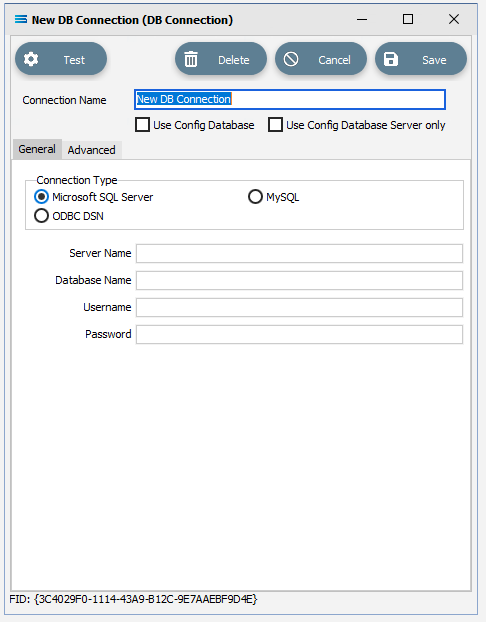
General options you need to enter or review,
Fields
| Field Name | Description |
|---|---|
| Connection Type | Select the type of database you wish to connect to. Statelake has drivers for the major SQL databases that provides direct high-speed access through the databases client library. Your chosen Connection Type will affect how you populate the rest of the fields. |
| Server Name | Enter the name of the computer hosting your database platform. Your chosen Connection Type will affect how you populate this field. |
| Database Name | Enter the name of the database as it is configured in your database platform. Your chosen Connection Type will affect how you populate this field. |
| Username | Enter the user name for connecting to your database platform. The user will be one that is configured within your database platform. Your chosen Connection Type will affect how you populate this field. |
| Password | Enter the password for the user name you have entered. The password will be stored in encrypted form within the Statelake configuration database. Your chosen Connection Type will affect how you populate this field. |