
Appearance
Action Steps Tab
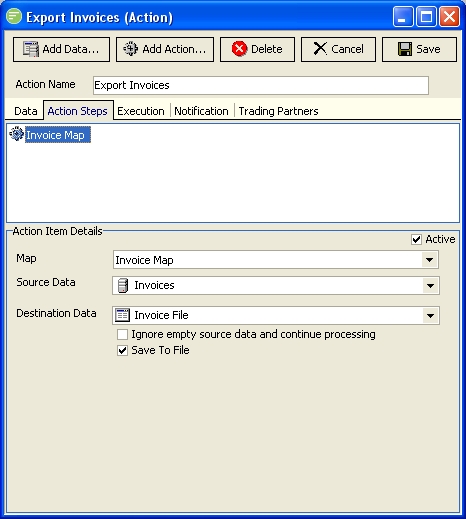
Fields
| Field Name | Description |
|---|---|
| Action Steps List | A list of steps performed by the Action. Single click an entry to edit its settings. Double click an entry to remove it. You can drag the entries to re-order them. Slow double click and entry to rename it. |
| ::: tip The following Action Steps can be added to an Action. Each Action Step type has its own editor screen that displays in the bottom half of the Action Steps Tab. Due to the number of fields involved these are described on individual pages ::: | |
| Map Action | A reference to a Map |
| Report Action | A reference to a Report |
| Shell Execute Action | Execute a command line using Windows Shell Execute |
| Transport Action | Send an existing file via a Transport |
| SQL Action | Execute bespoke SQL statement |
| Plugin Action | Call a Plugin |
| Transaction Commit Action | Commit an open SQL Transaction |
| DB Disconnect Action | Disconnect an open DB Connection |
| File Router Action | Route incoming files to multiple locations based on custom script code |
| Sub Action | Execute another Action as a step of this Action |
| Wait For File Action | Wait for a file to arrive before continuing with processing |
| Custom Script Action | Execute custom script code |