
Appearance
Exporting and Importing
You can export a Module in your Flow configuration as a Template. Templates can then be combined into Packages. You can also create Connectors which a special type of Package.
When exporting a Module, all Modules that it is dependant on are also exported to the Template. When the Template is imported it therefore recreates the Module, and all its dependant modules, so it is an exact copy of the original Module and is ready to be used immediately. For example if you export a DB Definition, then the DB Connections associated to it will also be exported to the Template.
Exporting a Module as a Template
TIP
When exporting a Module, all Modules that it is dependant on are also exported to the Template. When the Template is imported it therefore recreates the Module, and all its dependant modules, so it is an exact copy of the original Module and it ready to be used immediately.
Open the Flow Designer
Navigate to the Module you wish to export
Right click the desired Module and select
Export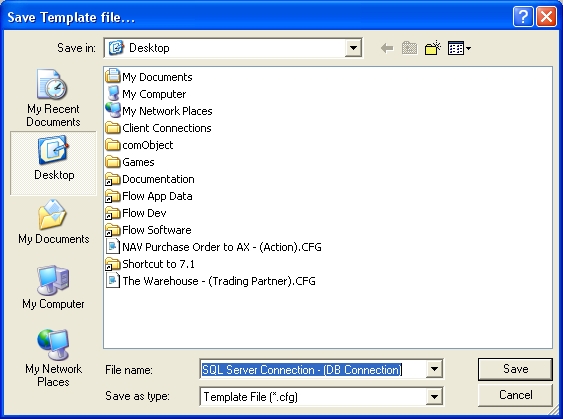
The template file will be assigned a default file name consisting of the name and type of the module.See DB Connection Change the name if desired and click
Save
Importing a Template
Open the Flow Designer
Drag the Template file from your desktop, folder, or email and drop on the background of FlowExporting and Importing
Choose the import method and click
OK. A confirmation screen will show what has been imported.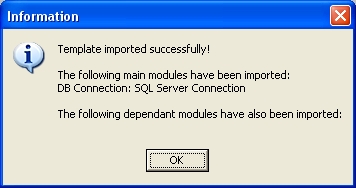
Creating Packages
Not yet implemented
Creating Connectors
Not yet implemented