
Appearance
Users
The Manage Users window displays the list of users that are currently allowed to access Flow. It displays both Standard and Windows users. From this window you can specify whether the user is allowed access to Flow or not, and whether they are using the Simple or Advanced view. Once a user has been added to Flow you can assign permissions to the user through the Manage Security window.
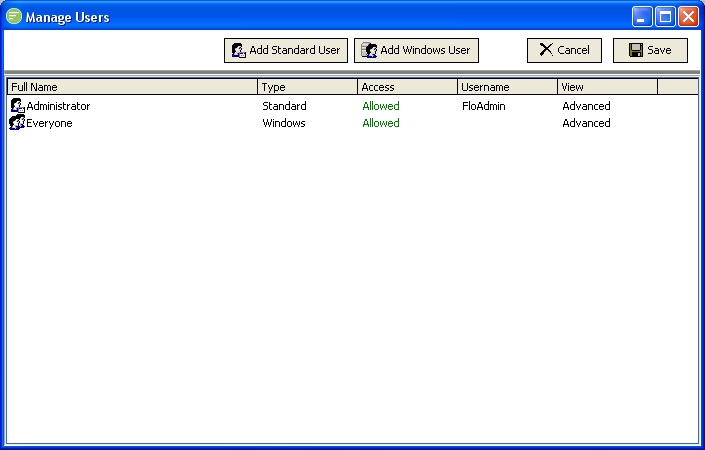
Fields
| Field Name | Description |
|---|---|
| Full Name | A friendly name for the DB Connection. |
Tabs
| Tab Name | Description |
|---|---|
| General | General options you need to fill in for all DB Connections |
| Advanced | Advanced options that you can leave at their default setting if desired. |
Buttons
| Button Name | Description |
|---|---|
| Save | Click to save any changes you have made. All changes will be lost if you do not click the Save button. |
| Cancel | Click to cancel any changes you have made |
| Delete | Click to delete this module. You will be asked to confirm your choice. |
| Test | Click to test the connection to the database. This will save the current settings before performing the test. |