
Appearance
Report Action
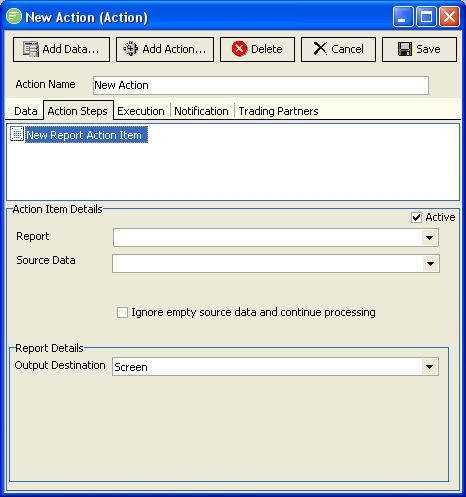
Fields
| Field Name | Description |
|---|---|
| Active | Select to make this step active. You can skip this step by deactivating it |
| Report | Select the Report module to be executed by this step |
| Source Data | Select the source data definition |
| Ignore empty source data and continue processing | Select to continue processing of the Map even if the source data definition is empty. This will generally involve the step resulting in a cancelled status. |
| Output Destination | Select the destination for the output of the report. |
| ::: tip The following fields are displayed depending on the Output Destination selected ::: | |
| Printer Name | Only if Output Destination is Printer. Select the printer the report will be output to. You can manually edit this field if required. |
| Output Type | Only if Output Destination is File or Email. Select the format of the output. |
| File Name | Only if Output Destination is File or Email. Enter the path and file name to output the file. If Output Destination is email then you only need to enter the file name the attachment will be called. |
| Email Address | Only if Output Destination is Email. Enter a comma separated list of email addresses. |
| Subject | Only if Output Destination is Email. Enter the subject line of the email |