
Appearance
Map Action
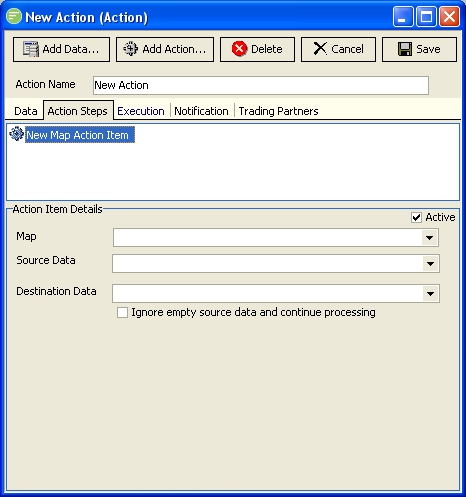
Fields
| Field Name | Description |
|---|---|
| Active | Select to make this step active. You can skip this step by deactivating it |
| Map | Select the Map module to be executed by this step |
| Source Data | Select the source data definition |
| Destination Data | Select the destination data definition |
| Ignore empty source data and continue processing | Select to continue processing of the Map even if the source data definition is empty. This will generally involve the step resulting in a cancelled status. |
| Save to | Select to have the destination data definition save to its output at completion of the map. If not selected the data will remain in the memory of the destination data definition, and it should be used again later as a destination of another map with this option selected so that its data will be saved to the output at that time. |