
Appearance
Main Screen (Map)
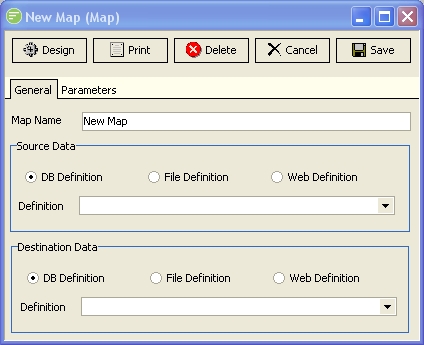
Fields
| Field Name | Description |
|---|---|
| Map Name | A friendly name for the Map |
Tabs
| Tab Name | Description |
|---|---|
| General | General options you need to fill in for all Maps |
| Parameters | Provides easy access to edit the parameters defined in your map. These can also be defined in the Designer |
Buttons
| Button Name | Description |
|---|---|
| Save | Click to save any changes you have made. All changes will be lost if you do not click the Save button. |
| Cancel | Click to cancel any changes you have made |
| Delete | Click to delete this module. You will be asked to confirm your choice. |
| Click to print a listing of all script code in the Map to your default printer. You must have a default printer assigned in your Windows setup. | |
| Design | Click this window to open the designer. You should populate the fields of the Main Screen prior to designing the DB Definition. |