
Appearance
Creating a new configuration database
You can have as many different configuration databases as you require. It is common to have both a test and production database.
To create a new configuration database you must first create a blank SQL Server database.
Start Microsoft SQL Management Console (Refer Installing Microsoft SQL Management Console)
Enter the details to login to the SQL server instance hosting your configuration databases. Click
Connect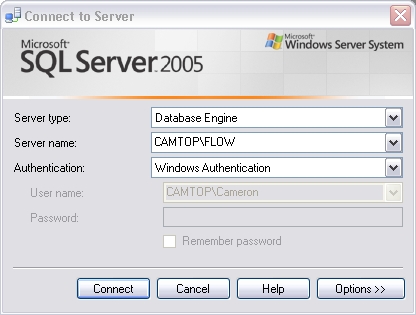
Right click the
Databasesfolder in the left hand tree menu and selectNew DatabaseEnter the
Database Nameand clickOK(NB: do not click theAddbutton - this adds a data file which is not necessary)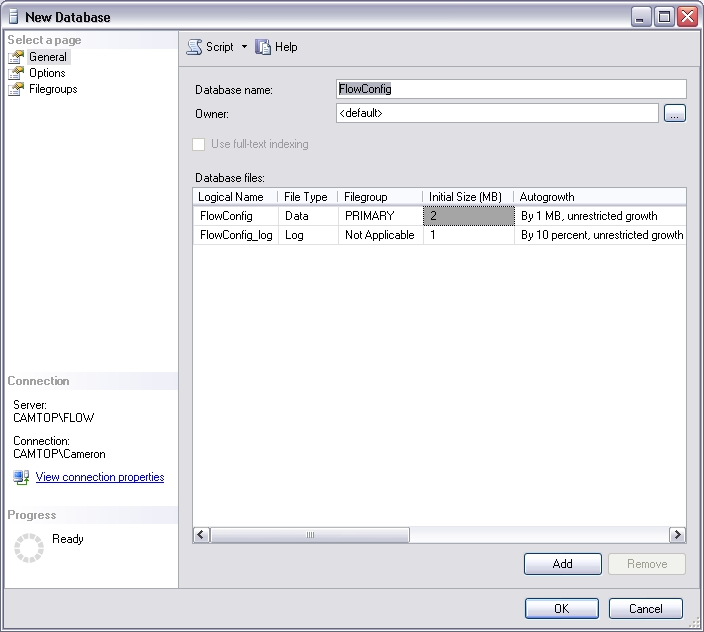
Your new database appears in the main window. Remember the name you entered in step 4 as this is needed when configuring the System Connection.