
Appearance
Web Definitions
Web Definitions allow you to "describe" the structure of web services to the Flow application. This allows Flow to understand your particular web service structure and read and write data to it. This gives you the flexibility to interact with any web service as you are in complete control over the definition.
A Web Definition can be used to describe web services that are based on Web Service Definition Language (WSDL).
A Web Definition is an in-memory representation of the data you are going to read or write from the web service. A web service is a special case in comparison to DB and File Definitions - a Web Definition has both a request and response definition. When reading data you define the request which is sent to the web service, and the resulting response is loaded from the web service into memory. In this case the request is generally a set of parameters that determine the data to be responded. Both the request and response data is retained in memory until the definition is closed.
When writing data you again define the request which is sent to the web service, and the resulting response is loaded from the web service into memory. In this case the request is generally the data to be written to the web service and the response is the result of writing that data. You write data into the request definition using a map, and this is subsequently output in the appropriate format to the web service. Even after writing the data to the web service, both the request and response data is retained in memory until the definition is closed.
You can create a single Web Definition and use it against multiple similar web services simply by assigning a different Web Connection. When assigning a Web Connection to a Web Definition it is considered a design time assignment, when coming to use the Web Definition in an Action you have the chance to reassign the Web Connection (run time assignment). This allows you to use the same Web Definition in multiple Actions each with their own Web Connection.
Create a Web Definition
Open the Flow Designer
Navigate to
Configuration > Components > Data Definitions > Web DefinitionsRight click
Web Definitionsand selectNew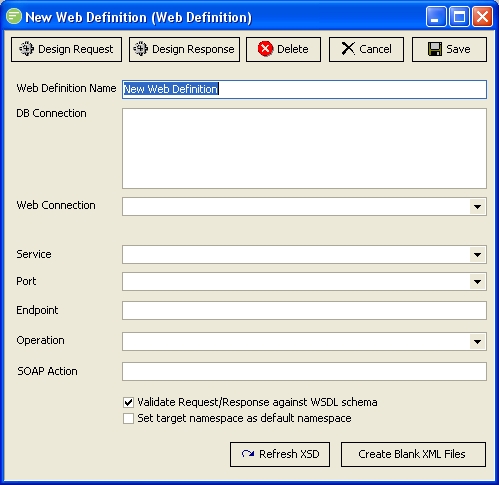
Fill in the details and click
Save. See Web Definition
Edit a Web Definition
TIP
A single left click on the Web Definition will also open the edit window
- Open the Flow Designer
- Navigate to
Configuration > Components > Data Definitions > Web Definitions - Right click the desired
Web Definitionand selectEdit - Change the details as required and click
Save. See Web Definition
Delete a Web Definition
Open the Flow Designer
Navigate to
Configuration > Components > Data Definitions > Web DefinitionsRight click the desired
Web Definitionand selectDelete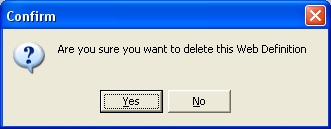
Click
Yesto confirm your choice
Copy a Web Definition
- Open the Flow Designer
- Navigate to
Configuration > Components > Data Definitions > Web Definitions - Right click the desired
Web Definitionand selectCopy - The copy of the Web Definition will display in the edit window. Change the details as required and click
Save. See Web Definition
Export a Web Definition
Open the Flow Designer
Navigate to
Configuration > Components > Data Definitions > Web DefinitionsRight click the desired
Web Definitionand selectExport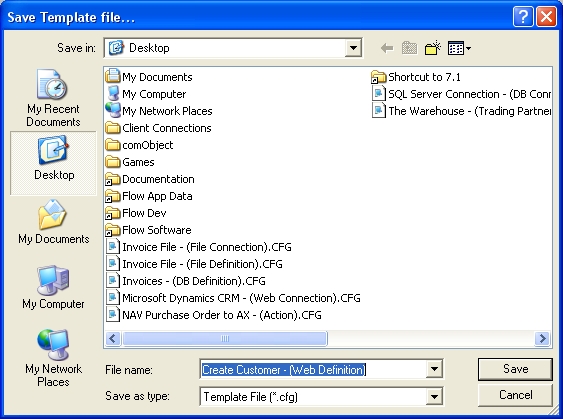
The template Web will be assigned a default File name consisting of the name and type of the module. Change the name if desired and click
Save. See Exporting and Importing
Import a Web Definition
Open the Flow Designer
Navigate to
Configuration > Components > Data Definitions > Web DefinitionsRight click
Web Definitionsand selectImport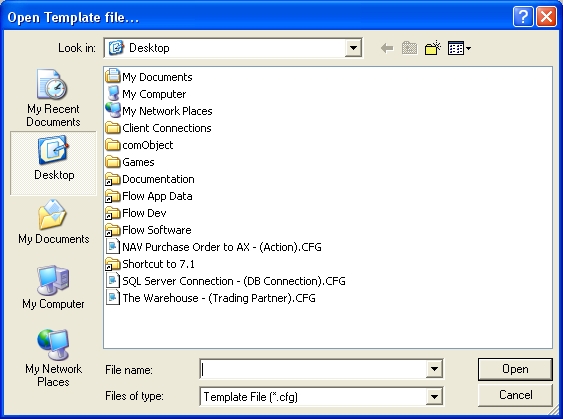
Select the Template Web you wish to import and click
Open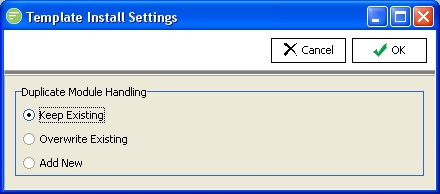
Choose the import method and click
OK. See Exporting and Importing A confirmation screen will show what has been imported.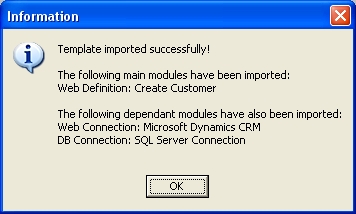
TIP
Note how dependant modules like the Web Connection and DB Connection have been imported. When exporting a module that is dependant on other modules, these dependant modules are also included in the Template so that it can be recreated exactly when imported
Change Security on Web Definition
- Open the Flow Designer
- Navigate to
Configuration > Components > Data Definitions > Web Definitions - Right click the desired
Web Definitionand selectSecurity - Change the details as required and click
Save. See Managing Security
Refresh list of Web Definitions
- Open the Flow Designer
- Navigate to
Configuration > Components > Data Definitions > Web Definitions - Right click
Web Definitionsand selectRefresh